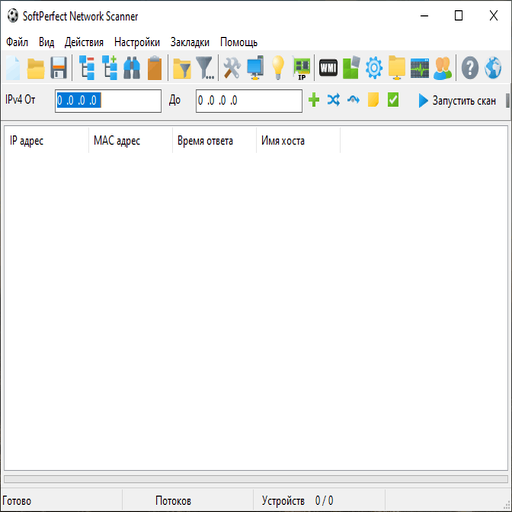
SoftPerfect Network Scanner

SoftPerfect Network Scanner: Quick Scans with Deep Insight Some tools just get it right. SoftPerfect Network Scanner blends speed, detail, and flexibility into a utility that’s as much for quick sweeps as it is for in-depth audits. Whether it’s a class-C subnet or a list of scattered IPs, it finds what’s online, shows what’s open, and digs a little deeper — without being noisy or hard to use.

It’s a Windows-native scanner, but far from basic. Hostname resolution, port checks, SNMP queries, hidd

OS: macOS / Windows / Linux
Size: 90 MB
Version: 2.1.0
🡣: 18,493 downloads

SoftPerfect Network Scanner: Quick Scans with Deep Insight

Some tools just get it right. SoftPerfect Network Scanner blends speed, detail, and flexibility into a utility that’s as much for quick sweeps as it is for in-depth audits. Whether it’s a class-C subnet or a list of scattered IPs, it finds what’s online, shows what’s open, and digs a little deeper — without being noisy or hard to use.

It’s a Windows-native scanner, but far from basic. Hostname resolution, port checks, SNMP queries, hidden shares, logged-in users, remote services — all visible in one pass. And when needed, it exports everything cleanly for documentation or follow-up.

Where It Stands Out

Feature Why It Matters in Practice
Fast Multi-Threaded Scanning Pings and checks thousands of hosts quickly
Port & Service Detection Lists open TCP ports and running services
Shares and Resources Finds shared folders, hidden shares, and access permissions
MAC and Vendor Info Identifies devices even when DNS fails
SNMP, WMI, SSH Integration Pulls system info, uptime, user sessions, hardware specs
CSV/XML/HTML Export Easy to sort, archive, or share results
Scripting and CLI Mode Automate scans or integrate into toolchains
No Installation Needed Portable executable — runs from USB or network share

Who’s Using It

– Sysadmins auditing mixed or undocumented networks
– Teams verifying patch rollout or service availability
– MSPs documenting client networks before onboarding
– Security staff checking for rogue file shares or unauthorized devices

SoftPerfect Network Scanner often lands in the toolkit of seasoned admins — not because it looks pretty, but because it works every time.

System Requirements

– Windows 7 or newer, including Server editions
– Local network access to scan targets
– Optional: SNMP community strings, WMI credentials, or SSH access
– No dependencies — it’s a self-contained binary

Runs fine on a jump box, support laptop, or even straight from a flash drive.

How to Use It

1. Download the latest version
→ https://www.softperfect.com/products/networkscanner/

2. Launch the app
No installation needed — just run netscan.exe.

3. Define the target range
Enter IP subnet (e.g., 192.168.1.0/24) or import from a file.

4. Configure scanning options
Choose ports, enable WMI/SNMP checks, select visible columns.

5. Start the scan
Watch results populate live — green hosts, open services, file shares.

6. Save or export
Export the results to Excel, XML, or CSV as needed.

What Admins Say

“I use it when I don’t want to think — just need answers, fast.”

“Pulled MACs, logged-in users, and open shares across 200 machines in 3 minutes flat.”

“Still the easiest way to see what’s running on a LAN without deploying agents.”

Last Thought

SoftPerfect Network Scanner doesn’t try to be an all-in-one NMS. It’s for the real-world jobs: quick sweeps, fast audits, discovery before deployment. It does its work quietly, accurately, and without getting in the way.

It’s one of those tools that gets copied to every new admin’s USB stick — for good reason.

SoftPerfect Network Scanner tuning guide for sta | Roottools

What is SoftPerfect Network Scanner?

SoftPerfect Network Scanner is a comprehensive network management tool designed to help administrators monitor and manage their network infrastructure efficiently. This self-hosted solution provides a robust set of features to scan, monitor, and manage network devices, making it an ideal choice for businesses of all sizes. With its ability to detect and identify devices on the network, SoftPerfect Network Scanner helps administrators stay on top of their network’s performance and security.

Main Features

Some of the key features of SoftPerfect Network Scanner include:

  • Network scanning and device detection
  • IP address and port scanning
  • SNMP and WMI support for detailed device information
  • Customizable scan ranges and restore points
  • Support for deduplication and offline copies

Installation Guide

System Requirements

Before installing SoftPerfect Network Scanner, ensure your system meets the following requirements:

  • Windows 10 or later (64-bit)
  • Intel Core i3 or equivalent processor
  • 4 GB RAM or more
  • 1 GB free disk space

Installation Steps

Follow these steps to install SoftPerfect Network Scanner:

  1. Download the installation package from the official website.
  2. Run the installer and follow the prompts to select the installation location and options.
  3. Wait for the installation to complete.
  4. Launch SoftPerfect Network Scanner from the Start menu or desktop shortcut.

Technical Specifications

Network Scanning

SoftPerfect Network Scanner uses advanced algorithms to scan the network and detect devices. The scanner can be configured to scan specific IP ranges, ports, and protocols.

Feature Description
Scan Range Specify the IP range to scan, including the start and end IP addresses.
Scan Protocol Select the protocol to use for scanning, such as TCP, UDP, or ICMP.
Scan Speed Adjust the scan speed to balance between speed and accuracy.

Pros and Cons

Advantages

SoftPerfect Network Scanner offers several advantages over paid tools:

  • Free to download and use
  • Self-hosted deployment for greater control and security
  • Customizable scan ranges and restore points
  • Support for deduplication and offline copies

Disadvantages

Some potential drawbacks to consider:

  • Steep learning curve for advanced features
  • Limited support for mobile devices
  • No built-in reporting or analytics tools

FAQ

How to Monitor SoftPerfect Network Scanner

To monitor SoftPerfect Network Scanner, follow these steps:

  1. Launch the application and navigate to the Dashboard.
  2. Click on the Monitoring tab to view real-time scan data.
  3. Configure alerts and notifications to stay informed of network changes.

How to Download SoftPerfect Network Scanner for Free

SoftPerfect Network Scanner is available for free download from the official website. Simply click on the Download button and follow the installation instructions.

SoftPerfect Network Scanner vs Paid Tools

While SoftPerfect Network Scanner offers many features for free, paid tools may provide additional functionality and support. Consider the following factors when deciding between SoftPerfect Network Scanner and paid tools:

  • Features and functionality
  • Support and documentation
  • Scalability and performance
  • Cost and licensing

SoftPerfect Network Scanner overview for enterpr | Roottools

What is SoftPerfect Network Scanner?

SoftPerfect Network Scanner is a comprehensive network management tool designed to streamline and simplify network administration tasks. This powerful software offers a wide range of features to help IT professionals and network administrators efficiently manage, monitor, and secure their networks. With SoftPerfect Network Scanner, users can automate various network tasks, ensure secure operations, and maintain a robust network infrastructure.

Key Features

Network Scanning and Discovery

SoftPerfect Network Scanner allows users to scan and discover devices on their network, including computers, printers, and other network-attached devices. This feature helps administrators to identify and manage devices on their network, ensuring that all devices are accounted for and properly configured.

Secure Operations with Snapshots and Audit Logs

The software provides a robust security framework that enables administrators to create snapshots of their network configuration, allowing for easy recovery in case of any issues. Additionally, SoftPerfect Network Scanner maintains detailed audit logs, providing a record of all changes made to the network configuration.

Installation Guide

System Requirements

Before installing SoftPerfect Network Scanner, ensure that your system meets the following requirements:

  • Operating System: Windows 10/8/7/Vista/XP
  • Processor: 1 GHz or faster
  • Memory: 512 MB or more
  • Hard Disk Space: 100 MB or more

Installation Steps

Follow these steps to install SoftPerfect Network Scanner:

  1. Download the installation package from the official website.
  2. Run the installation package and follow the prompts to complete the installation.
  3. Launch the software and activate it using the provided license key.

Technical Specifications

Network Protocol Support

SoftPerfect Network Scanner supports a wide range of network protocols, including:

  • TCP/IP
  • UDP
  • ICMP
  • SNMP

Operating System Compatibility

The software is compatible with various operating systems, including:

  • Windows 10
  • Windows 8
  • Windows 7
  • Windows Vista
  • Windows XP

Pros and Cons

Advantages

SoftPerfect Network Scanner offers several advantages, including:

  • Comprehensive network scanning and discovery capabilities
  • Robust security features, including snapshots and audit logs
  • Easy-to-use interface and automated network tasks

Disadvantages

Some potential drawbacks of SoftPerfect Network Scanner include:

  • Steep learning curve for beginners
  • Resource-intensive, requiring significant system resources

FAQ

Is SoftPerfect Network Scanner free to download?

Yes, SoftPerfect Network Scanner offers a free trial version that can be downloaded from the official website.

What is the best alternative to SoftPerfect Network Scanner?

Some popular alternatives to SoftPerfect Network Scanner include Angry IP Scanner, Advanced IP Scanner, and LanScan.

Conclusion

SoftPerfect Network Scanner is a powerful network management tool that offers a wide range of features to help IT professionals and network administrators efficiently manage, monitor, and secure their networks. With its comprehensive network scanning and discovery capabilities, robust security features, and automated network tasks, SoftPerfect Network Scanner is an ideal solution for businesses and organizations of all sizes.

SoftPerfect Network Scanner deployment notes for | Roottools

What is SoftPerfect Network Scanner?

SoftPerfect Network Scanner is a comprehensive network management tool designed to help administrators and IT professionals monitor, scan, and manage their network infrastructure. With its robust features and user-friendly interface, SoftPerfect Network Scanner provides a powerful solution for network discovery, inventory management, and security auditing.

Main Features

SoftPerfect Network Scanner offers a wide range of features that make it an essential tool for network management. Some of its key features include:

  • Network discovery and scanning
  • Inventory management and reporting
  • Security auditing and vulnerability assessment
  • Compliance scanning and reporting
  • Customizable scanning and reporting

Installation Guide

System Requirements

Before installing SoftPerfect Network Scanner, ensure that your system meets the following requirements:

  • Operating System: Windows 10, 8, 7, or Server 2019, 2016, 2012
  • Processor: 1 GHz or faster
  • Memory: 2 GB or more
  • Hard Disk Space: 100 MB or more

Installation Steps

Follow these steps to install SoftPerfect Network Scanner:

  1. Download the installation package from the official website.
  2. Run the installation package and follow the prompts.
  3. Accept the license agreement and choose the installation location.
  4. Choose the components to install and click Next.
  5. Wait for the installation to complete.

Technical Specifications

Scanning Capabilities

SoftPerfect Network Scanner supports various scanning protocols, including:

  • TCP/IP
  • UDP
  • ICMP
  • SNMP

Inventory Management

The tool provides detailed inventory reports, including:

  • Hardware information
  • Software information
  • Operating system information

Pros and Cons

Pros

SoftPerfect Network Scanner offers several benefits, including:

  • Comprehensive network scanning and discovery
  • Customizable scanning and reporting
  • Robust inventory management and reporting

Cons

Some limitations of SoftPerfect Network Scanner include:

  • Steep learning curve for beginners
  • Limited support for non-Windows operating systems

Migration Plan with Backup Repositories and Rollbacks

Pre-Migration Steps

Before migrating to SoftPerfect Network Scanner, ensure that you:

  • Backup your existing network scanner data
  • Verify the compatibility of your hardware and software

Migration Steps

Follow these steps to migrate to SoftPerfect Network Scanner:

  1. Install SoftPerfect Network Scanner on a test machine.
  2. Configure the tool and perform a test scan.
  3. Verify the accuracy of the scan results.
  4. Migrate your existing data to SoftPerfect Network Scanner.

Rollback Plan

In case of any issues during migration, have a rollback plan in place, including:

  • Backup of your existing network scanner data
  • Restore points for your network scanner configuration

FAQ

Q: Is SoftPerfect Network Scanner free?

A: Yes, SoftPerfect Network Scanner offers a free version with limited features. You can download it from the official website.

Q: How does SoftPerfect Network Scanner compare to alternatives?

A: SoftPerfect Network Scanner offers a robust feature set and competitive pricing compared to other network scanners on the market.

SoftPerfect Network Scanner best practices for b | Roottools

What is SoftPerfect Network Scanner?

SoftPerfect Network Scanner is a fast and comprehensive network scanner designed to help administrators and IT teams manage their network infrastructure more efficiently. This powerful tool allows users to scan for active hosts, open ports, and various services, providing a detailed picture of their network environment. With its advanced features and user-friendly interface, SoftPerfect Network Scanner has become a go-to solution for many IT professionals.

Main Features and Benefits

Some of the key features of SoftPerfect Network Scanner include:

  • Network Scanning: Quickly scan for active hosts and open ports on your network.
  • Service Detection: Identify various services running on your network, including HTTP, FTP, SSH, and more.
  • IP and MAC Address Management: Easily manage IP and MAC addresses on your network.
  • Customizable Scanning Options: Adjust scanning parameters to suit your specific needs.

Installation Guide

System Requirements

Before installing SoftPerfect Network Scanner, ensure that your system meets the following requirements:

  • Operating System: Windows 10, 8, 7, Vista, or XP (32-bit or 64-bit).
  • Processor: Intel Core 2 Duo or equivalent.
  • Memory: 2 GB RAM or more.
  • Hard Disk Space: 50 MB or more.

Download and Installation

Follow these steps to download and install SoftPerfect Network Scanner:

  1. Visit the official SoftPerfect website and download the latest version of SoftPerfect Network Scanner.
  2. Run the installer and follow the prompts to complete the installation process.
  3. Launch SoftPerfect Network Scanner and start scanning your network.

Technical Specifications

Ports Used by SoftPerfect Network Scanner

SoftPerfect Network Scanner uses the following ports to perform its functions:

Port Protocol Description
1-1024 TCP/UDP Standard ports for various services.
1025-5000 TCP/UDP Dynamic ports for various services.
5001-65535 TCP/UDP Private ports for custom services.

Hardening Checklist for Admins and IT Teams

To ensure the security and integrity of your network, follow this hardening checklist:

  1. Regularly update your operating system and software.
  2. Use strong passwords and enable password policies.
  3. Configure firewall rules to restrict access to sensitive services.
  4. Monitor network activity and log events.
  5. Implement access controls and role-based permissions.

Pros and Cons

Advantages of SoftPerfect Network Scanner

Some of the advantages of using SoftPerfect Network Scanner include:

  • Comprehensive Scanning Capabilities: Quickly scan for active hosts, open ports, and various services.
  • User-Friendly Interface: Easily navigate and manage your network environment.
  • Customizable Scanning Options: Adjust scanning parameters to suit your specific needs.

Disadvantages of SoftPerfect Network Scanner

Some of the disadvantages of using SoftPerfect Network Scanner include:

  • Steep Learning Curve: May require time to learn and master its features.
  • Resource-Intensive: May consume system resources during scanning operations.
  • Not Open-Source: May not be suitable for organizations that prefer open-source solutions.

SoftPerfect Network Scanner vs Open-Source Options

Comparison with Open-Source Alternatives

While SoftPerfect Network Scanner offers a comprehensive set of features, there are also open-source alternatives available. Some popular options include:

  • Nmap: A popular open-source network scanner.
  • OpenVAS: An open-source vulnerability scanner.
  • Zenmap: A graphical interface for Nmap.

Key Differences

When comparing SoftPerfect Network Scanner to open-source alternatives, consider the following key differences:

  • Licensing: SoftPerfect Network Scanner is a commercial product, while open-source alternatives are free to use and modify.
  • Features: SoftPerfect Network Scanner offers a more comprehensive set of features, including customizable scanning options and IP and MAC address management.
  • Support: SoftPerfect Network Scanner offers commercial support, while open-source alternatives rely on community support.

FAQ

Common Questions and Answers

Here are some common questions and answers about SoftPerfect Network Scanner:

  • Q: Is SoftPerfect Network Scanner free to download?
  • A: Yes, SoftPerfect Network Scanner offers a free trial version. However, the full version requires a license purchase.
  • Q: What operating systems does SoftPerfect Network Scanner support?
  • A: SoftPerfect Network Scanner supports Windows 10, 8, 7, Vista, and XP (32-bit or 64-bit).
  • Q: Can I use SoftPerfect Network Scanner in a commercial environment?
  • A: Yes, SoftPerfect Network Scanner is suitable for commercial use. However, you may need to purchase a license to use it in a production environment.

SoftPerfect Network Scanner troubleshooting for | Roottools

What is SoftPerfect Network Scanner?

SoftPerfect Network Scanner is a comprehensive, multi-threaded network scanner designed to provide a detailed analysis of network devices and nodes. This powerful tool allows users to quickly identify and troubleshoot problems on their network, making it an essential asset for network administrators and engineers.

With its advanced scanning capabilities and intuitive interface, SoftPerfect Network Scanner makes it easy to detect and diagnose network issues, including IP address conflicts, network congestion, and unauthorized access.

Key Features

Scanning Capabilities

SoftPerfect Network Scanner offers a range of scanning options, including IP address scanning, port scanning, and NetBIOS scanning. This allows users to quickly identify open ports, detect network devices, and gather essential information about network nodes.

Network Analysis

The tool provides detailed network analysis, including IP address information, subnet masks, and gateway IP addresses. This information can be used to identify potential network issues and optimize network performance.

Reporting and Exporting

SoftPerfect Network Scanner allows users to generate detailed reports on network scans, which can be exported in various formats, including CSV, XML, and HTML. This makes it easy to share scan results with colleagues or store them for future reference.

Installation Guide

System Requirements

Before installing SoftPerfect Network Scanner, ensure that your system meets the following requirements:

  • Operating System: Windows XP, Vista, 7, 8, 10, or Server 2003/2008/2012
  • Processor: 1 GHz or faster processor
  • Memory: 256 MB RAM or more
  • Disk Space: 10 MB or more

Installation Steps

Follow these steps to install SoftPerfect Network Scanner:

  1. Download the SoftPerfect Network Scanner installation package from the official website.
  2. Run the installation package and follow the prompts to complete the installation.
  3. Launch SoftPerfect Network Scanner and follow the on-screen instructions to configure the tool.

Troubleshooting Guide

Common Issues

Here are some common issues that users may encounter when using SoftPerfect Network Scanner:

  • Failed scans: Check that the scanner is configured correctly and that the network is stable.
  • Incorrect scan results: Ensure that the scanner is configured to scan the correct IP address range.
  • Scanner crashes: Try restarting the scanner or reinstalling the software.

Troubleshooting Steps

Follow these steps to troubleshoot common issues:

  1. Check the scanner configuration and ensure that it is set to scan the correct IP address range.
  2. Verify that the network is stable and that there are no connectivity issues.
  3. Try restarting the scanner or reinstalling the software.

Deployment Guide with Repositories and Retention Policies

Repository Configuration

SoftPerfect Network Scanner allows users to configure repositories to store scan results. Here’s how to configure repositories:

  1. Launch SoftPerfect Network Scanner and navigate to the ‘Settings’ menu.
  2. Click on ‘Repositories’ and select ‘Add Repository’.
  3. Enter the repository name and path, and click ‘OK’.

Retention Policies

SoftPerfect Network Scanner allows users to configure retention policies to manage scan results. Here’s how to configure retention policies:

  1. Launch SoftPerfect Network Scanner and navigate to the ‘Settings’ menu.
  2. Click on ‘Retention Policies’ and select ‘Add Policy’.
  3. Enter the policy name and configure the retention settings, and click ‘OK’.

Alternatives to SoftPerfect Network Scanner

Angry IP Scanner

Angry IP Scanner is a free, open-source network scanner that offers many of the same features as SoftPerfect Network Scanner.

NMap

NMap is a popular, open-source network scanner that offers advanced scanning capabilities and a wide range of features.

Frequently Asked Questions

Is SoftPerfect Network Scanner free?

Yes, SoftPerfect Network Scanner offers a free version with limited features. The full version requires a license purchase.

Can I use SoftPerfect Network Scanner on a Mac?

No, SoftPerfect Network Scanner is only compatible with Windows operating systems.

How do I update SoftPerfect Network Scanner?

Launch SoftPerfect Network Scanner and navigate to the ‘Settings’ menu. Click on ‘Check for Updates’ to update the software.

SoftPerfect Network Scanner setup tips for secur | Roottools

What is SoftPerfect Network Scanner?

SoftPerfect Network Scanner is a comprehensive network management tool designed to help IT professionals and network administrators monitor, manage, and troubleshoot their network infrastructure. This powerful software provides a wide range of features, including network scanning, port scanning, and OS detection, making it an essential asset for any network management workflow.

Main Features of SoftPerfect Network Scanner

SoftPerfect Network Scanner offers a multitude of features that make it an indispensable tool for network management. Some of its key features include:

  • Network scanning: quickly scan your network to identify connected devices, including computers, printers, and other networked devices.
  • Port scanning: scan for open ports and identify potential security vulnerabilities.
  • OS detection: automatically detect the operating system of connected devices.
  • Asset management: create a detailed inventory of your network assets, including hardware and software information.

Installation Guide

System Requirements

Before installing SoftPerfect Network Scanner, ensure that your system meets the following requirements:

  • Operating System: Windows 10, 8, 7, or XP.
  • Processor: 1 GHz or faster.
  • Memory: 1 GB or more.
  • Disk Space: 100 MB or more.

Installation Steps

Follow these steps to install SoftPerfect Network Scanner:

  1. Download the installation package from the official website.
  2. Run the installation package and follow the prompts.
  3. Accept the license agreement and choose the installation location.
  4. Wait for the installation to complete.

Technical Specifications

Network Scanning

SoftPerfect Network Scanner uses a variety of scanning techniques to identify connected devices, including:

  • ARP scanning: uses Address Resolution Protocol (ARP) to identify devices on the network.
  • ICMP scanning: uses Internet Control Message Protocol (ICMP) to identify devices on the network.
  • TCP scanning: uses Transmission Control Protocol (TCP) to identify open ports and services.

Security Features

SoftPerfect Network Scanner includes a range of security features, including:

  • Firewall detection: identifies firewall rules and configurations.
  • Port scanning: identifies open ports and potential security vulnerabilities.
  • OS detection: identifies the operating system of connected devices.

Pros and Cons

Advantages

SoftPerfect Network Scanner offers a range of advantages, including:

  • Comprehensive network scanning: quickly and easily scan your network to identify connected devices.
  • Advanced security features: identify potential security vulnerabilities and take steps to mitigate them.
  • Easy to use: intuitive interface makes it easy to use, even for novice users.

Disadvantages

SoftPerfect Network Scanner also has some disadvantages, including:

  • Steep learning curve: advanced features may require technical expertise.
  • Resource-intensive: may require significant system resources.
  • Cost: may be more expensive than other network management tools.

Troubleshooting Guide

Common Errors and Timeouts

If you encounter errors or timeouts while using SoftPerfect Network Scanner, try the following troubleshooting steps:

  1. Check your network connection: ensure that your network connection is stable and functioning properly.
  2. Check your firewall settings: ensure that your firewall is configured to allow SoftPerfect Network Scanner to function properly.
  3. Check for software updates: ensure that you are running the latest version of SoftPerfect Network Scanner.

FAQ

Frequently Asked Questions

Here are some frequently asked questions about SoftPerfect Network Scanner:

  • Q: Is SoftPerfect Network Scanner free?
  • A: Yes, SoftPerfect Network Scanner offers a free version with limited features.
  • Q: What are the system requirements for SoftPerfect Network Scanner?
  • A: See the system requirements listed above.

Other articles

Submit your application